

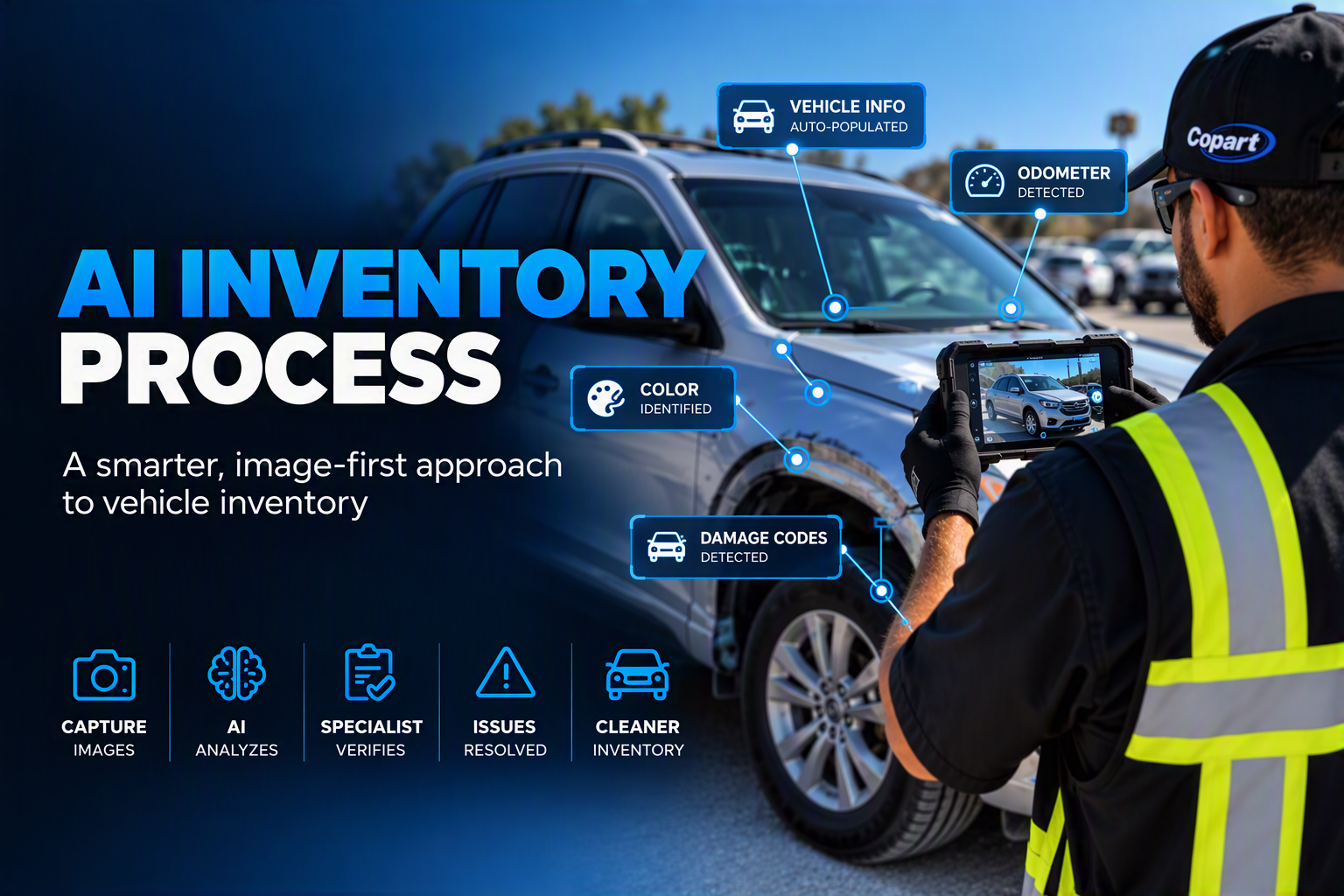
Designing a faster way to receive and review vehicles
Reframing two manual workflows as one connected experience, using images as inputs and AI to reduce repetitive work while keeping people in control.
IMPACT METRICS
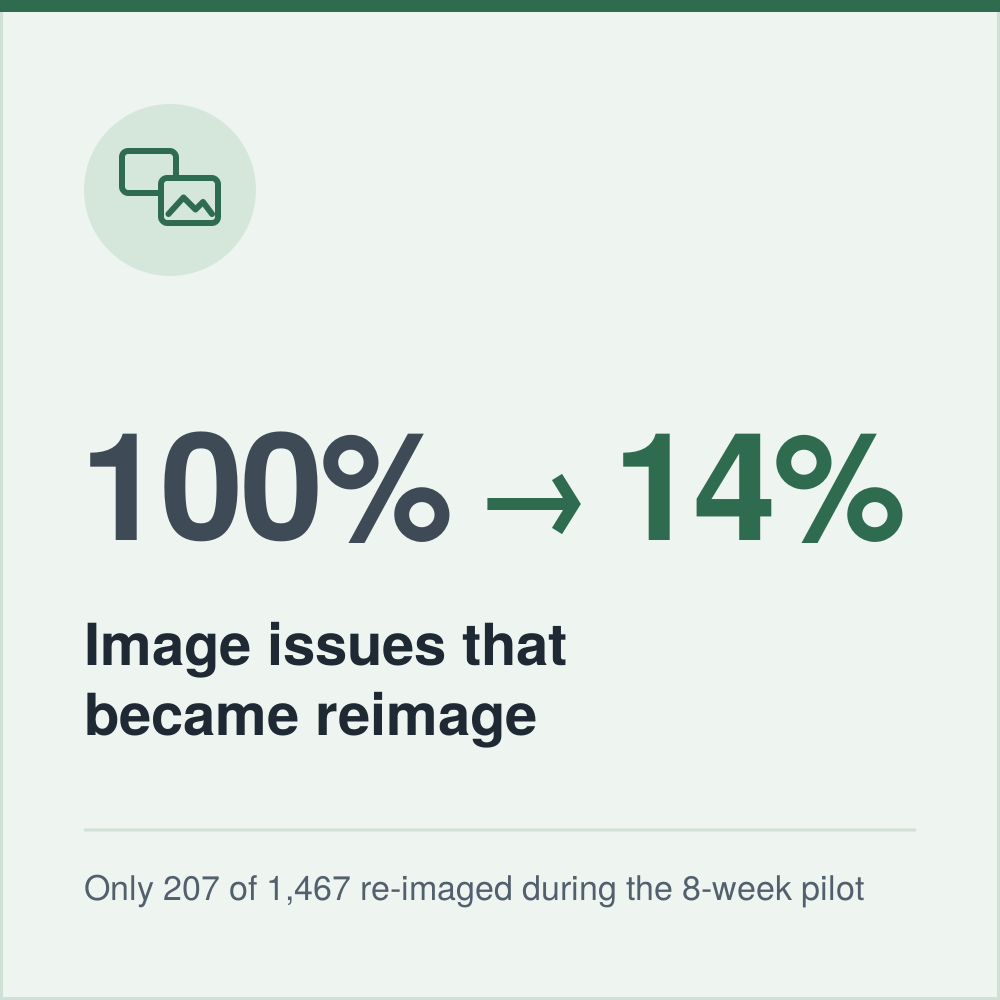
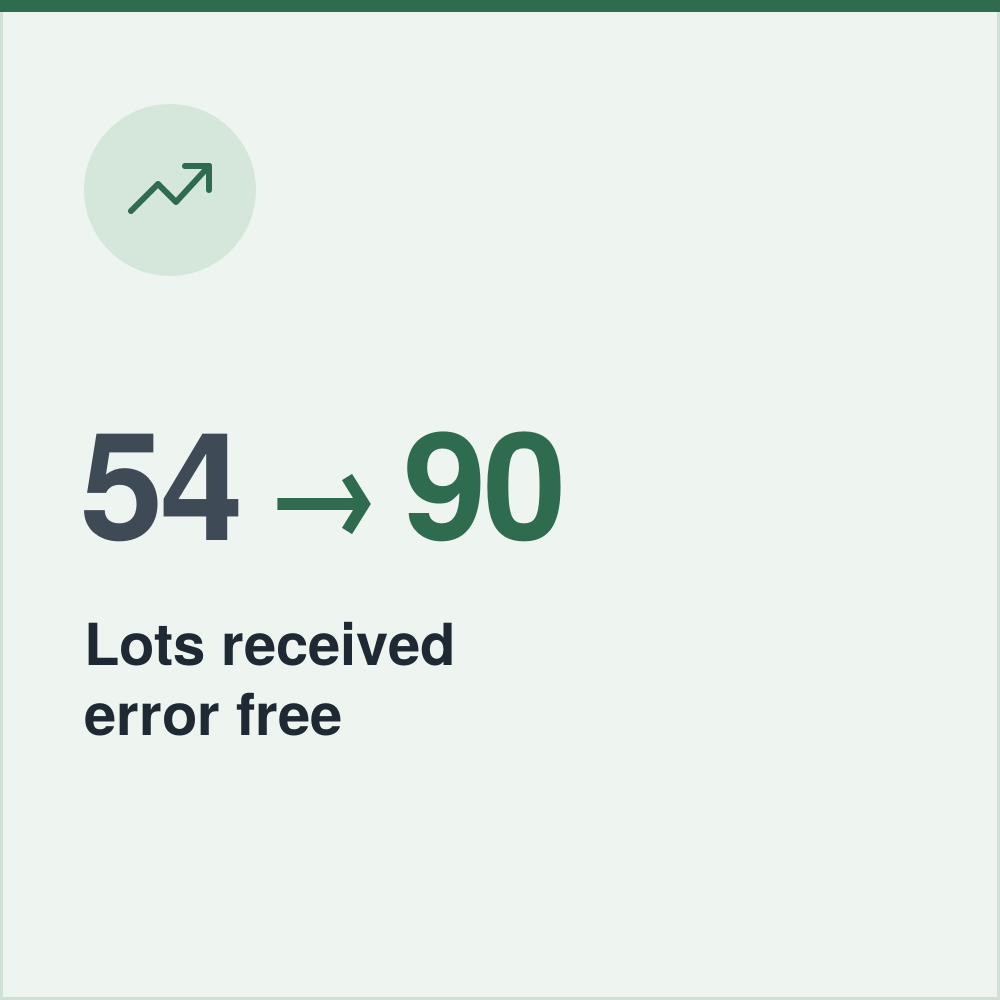

Overview
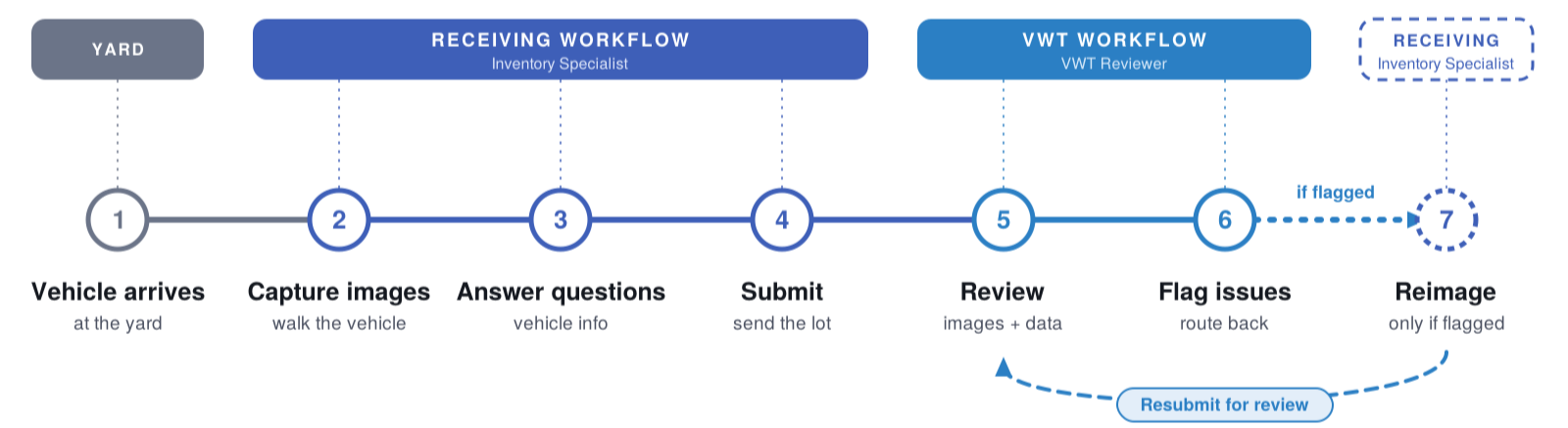
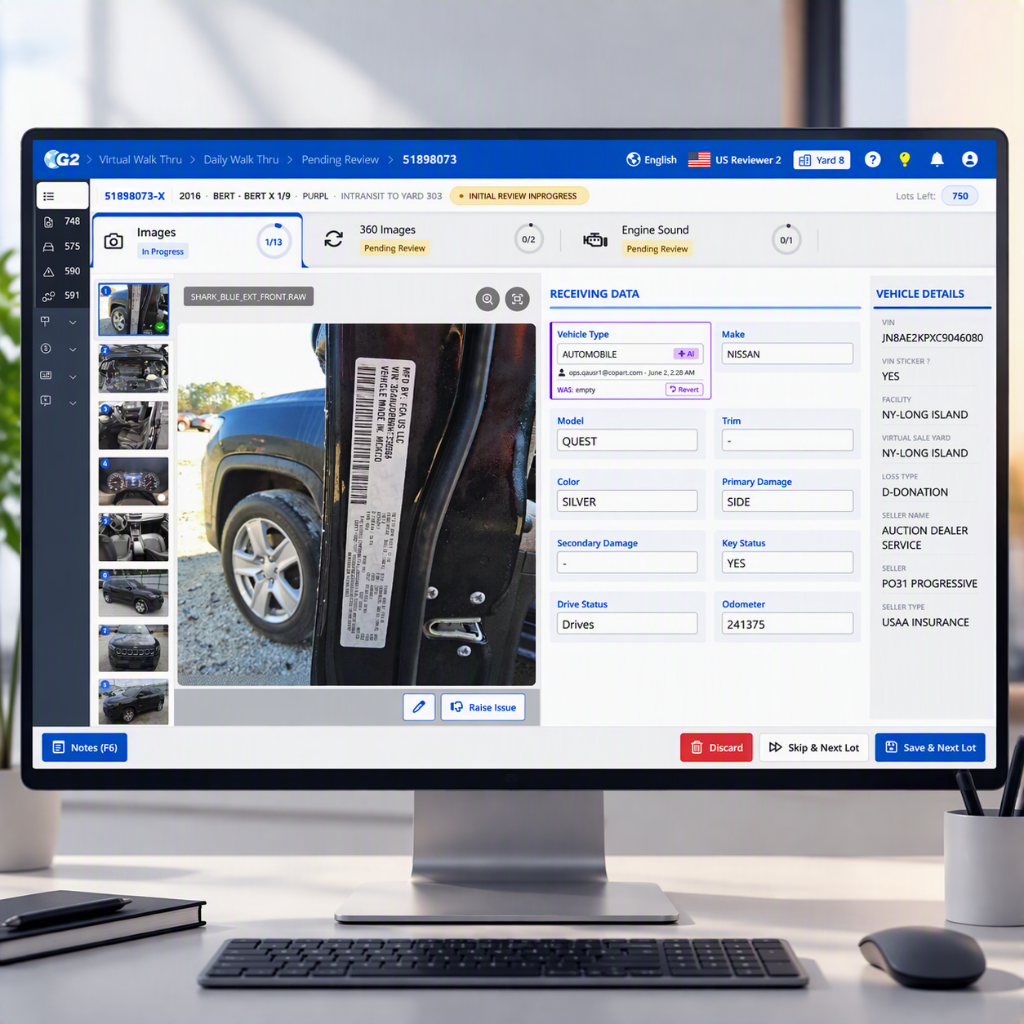
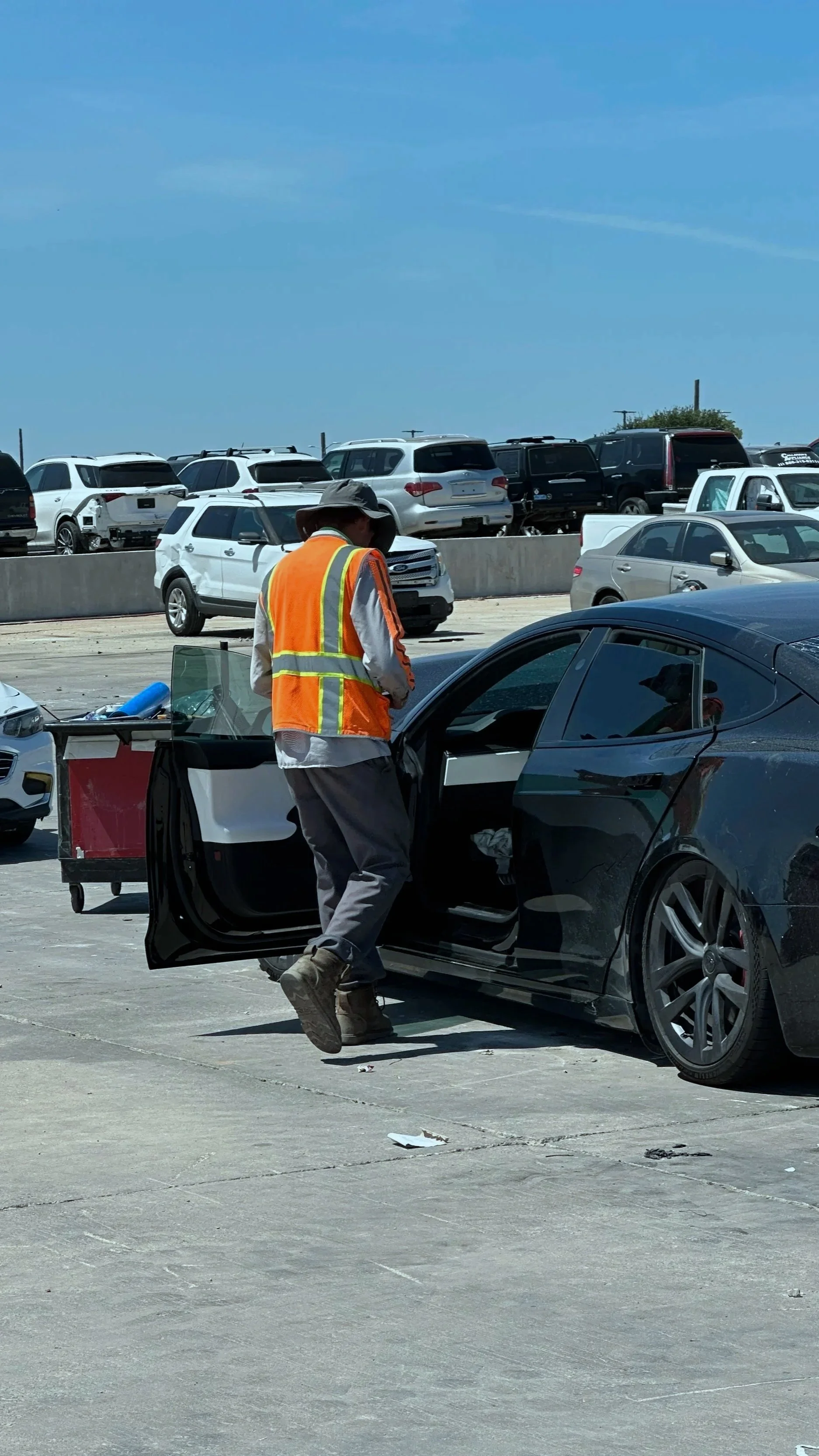
Every vehicle entering a yard goes through two connected experiences: it is first received and photographed by an Inventory Specialist, then reviewed through the Virtual Walk-Through process for image and data accuracy.
The existing experience required significant manual work on both sides. During receiving, specialists moved between inspecting the vehicle, taking photos, and answering questions on a mobile device. During review, reviewers manually inspected every lot and determined whether something needed to be corrected.
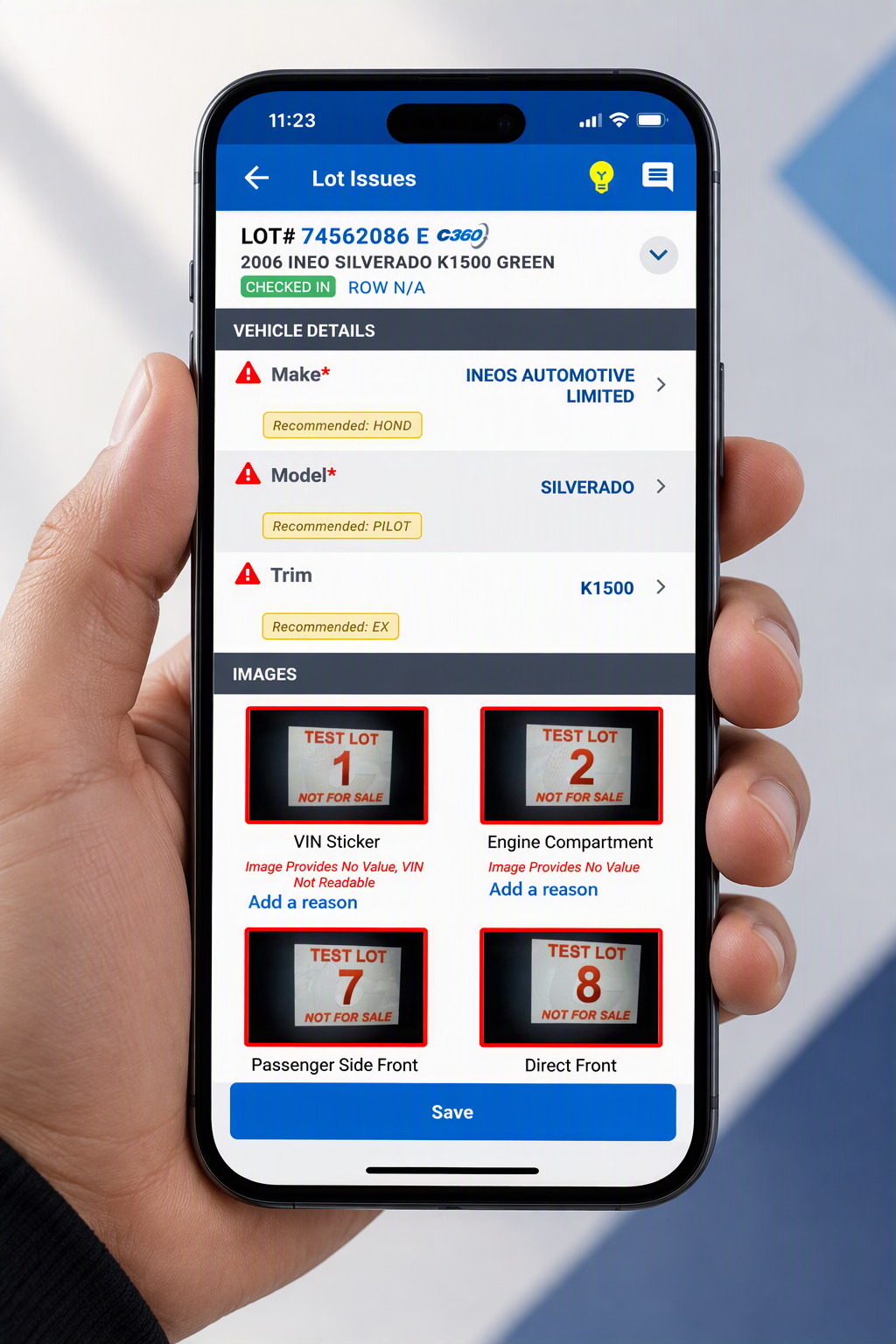
I worked on redesigning these experiences as a connected system, using the images already being captured to reduce manual input, organize work around the physical vehicle, and introduce AI where it could remove repetitive work without removing human control.
Team Composition
1 Designer, 2 Product Manager, 2 Dev Manager, 6 Engineers,
Products
M1 Mobile (Android), Web Enterprise App
Duration
8 Weeks
01 UNDERSTANDING THE SYSTEM
One Vehicle. Two Workflows
A vehicle is received and photographed in M1, then reviewed in VWT for image and data accuracy. Looking at these as separate products hid a larger opportunity: improve the whole journey.
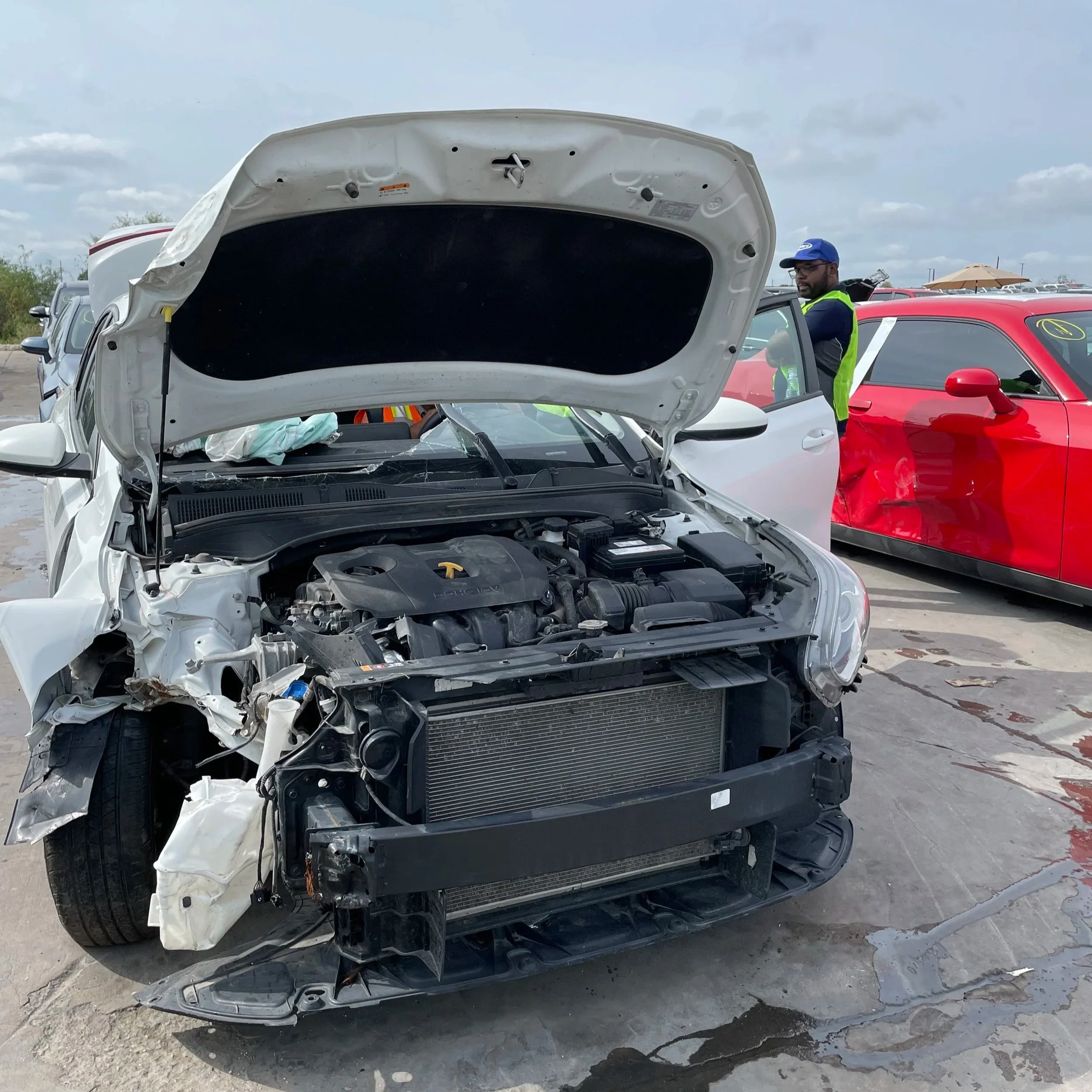
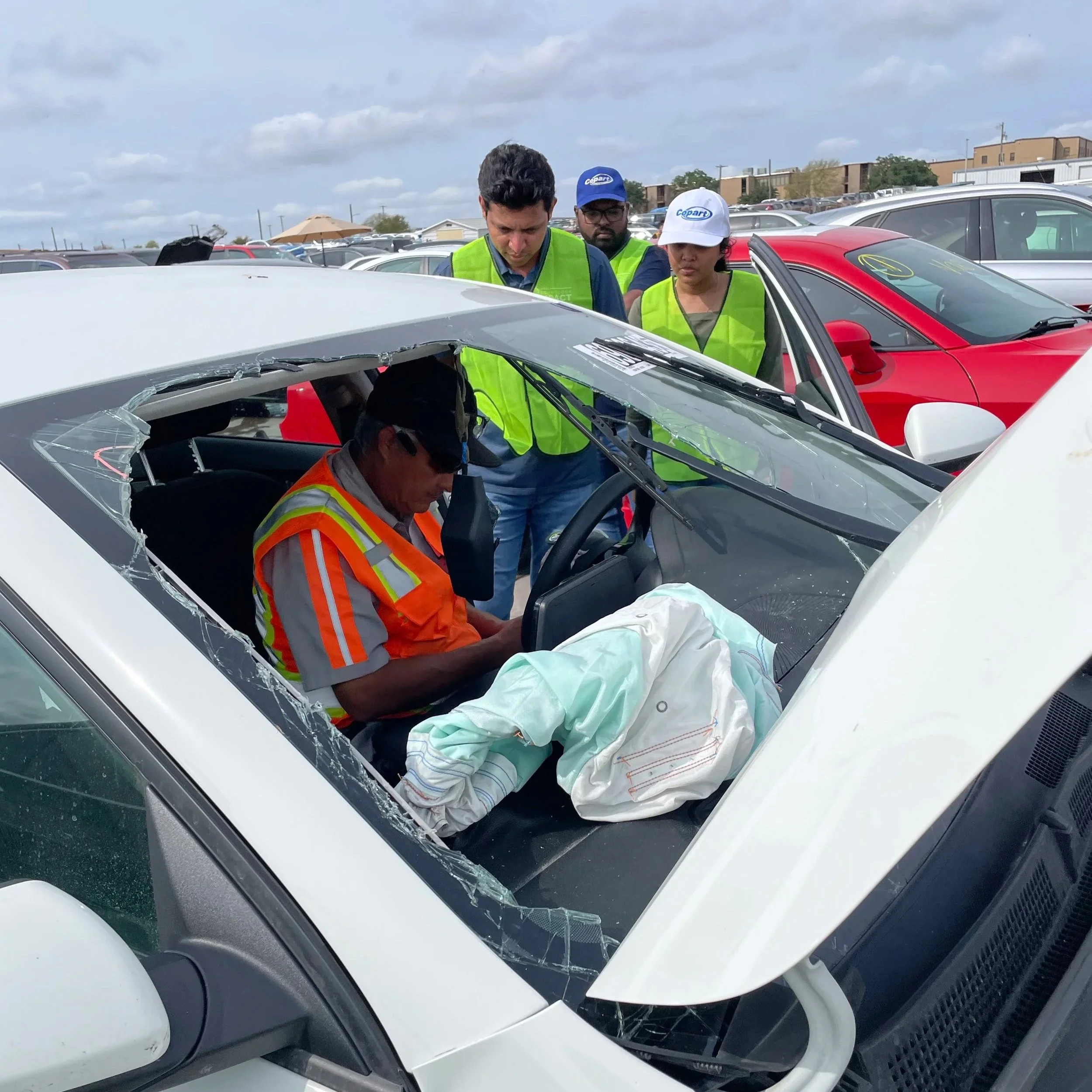
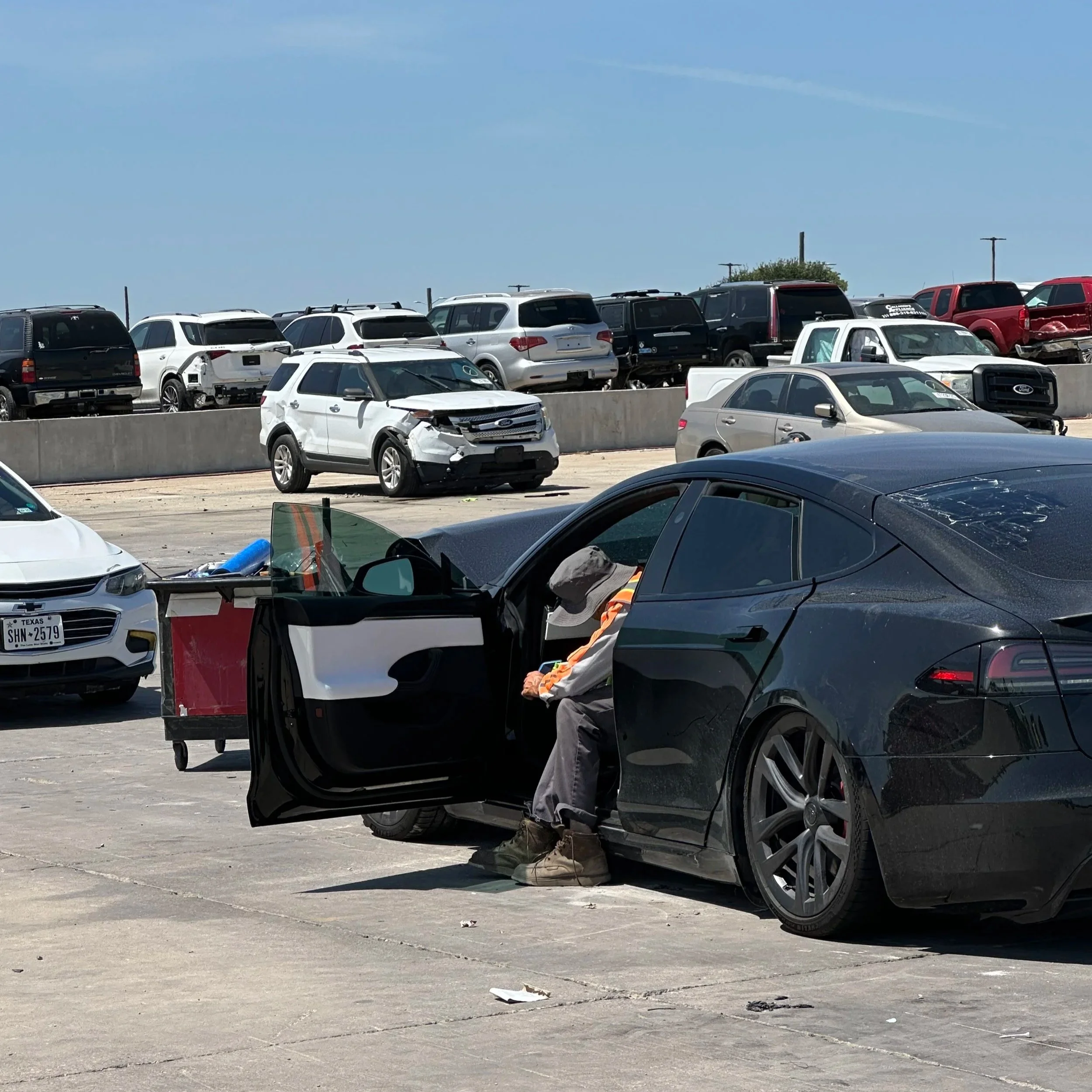
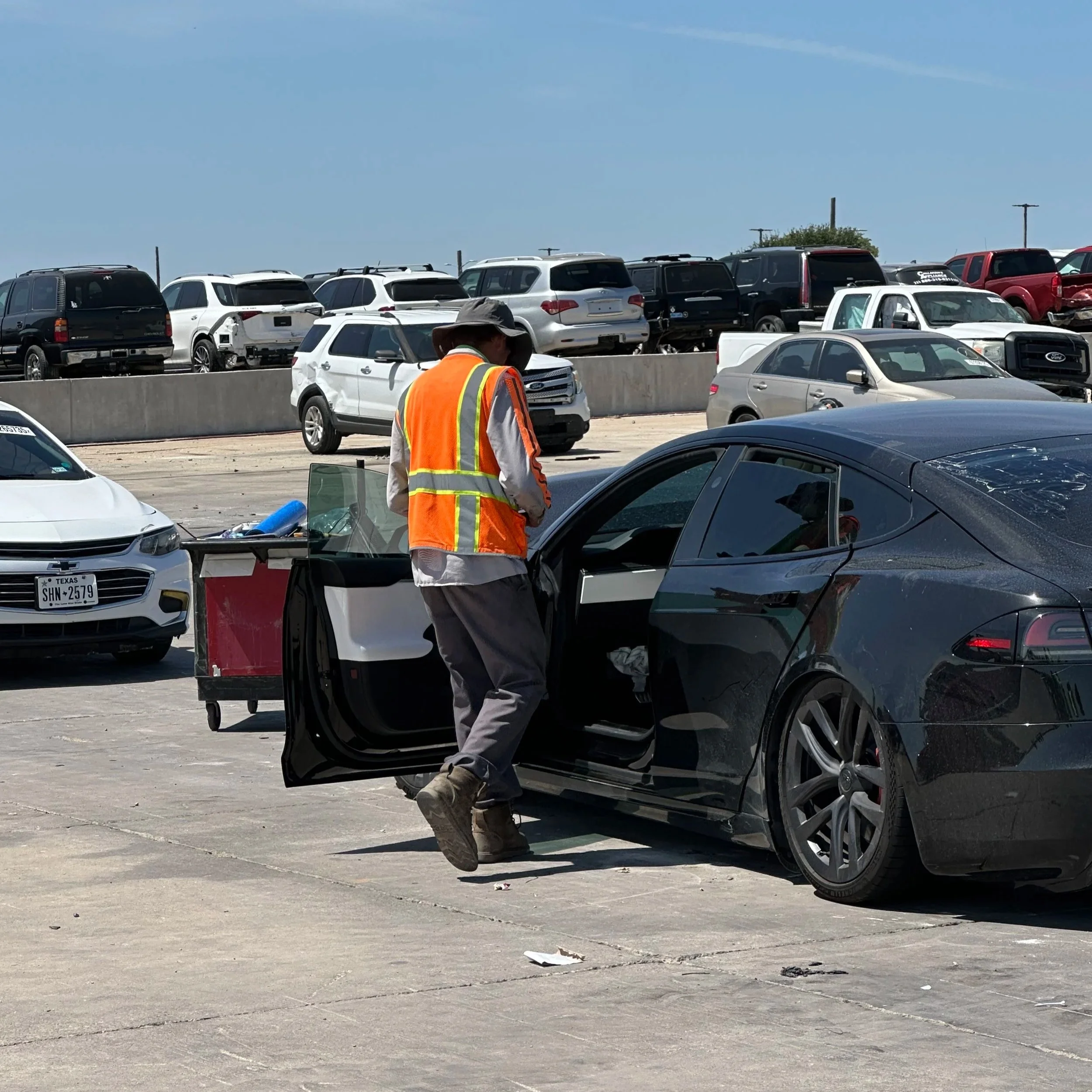
02 OBSERVATION
The Interface was organizing the work, not the experience
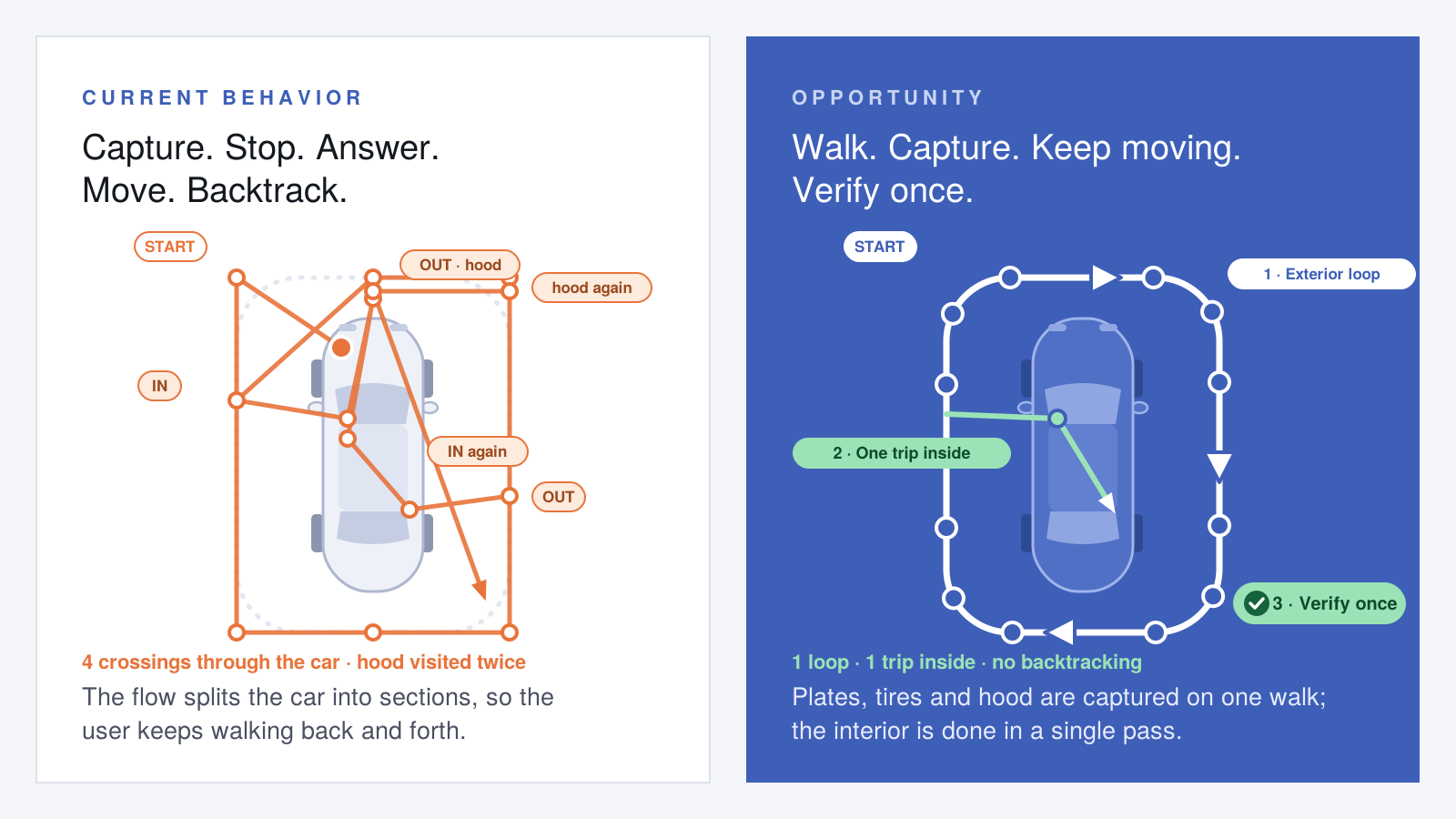
Receiving forced users to alternate between physical inspection, image capture and manual data entry. The digital sequence did not always follow the natural movement around the vehicle.
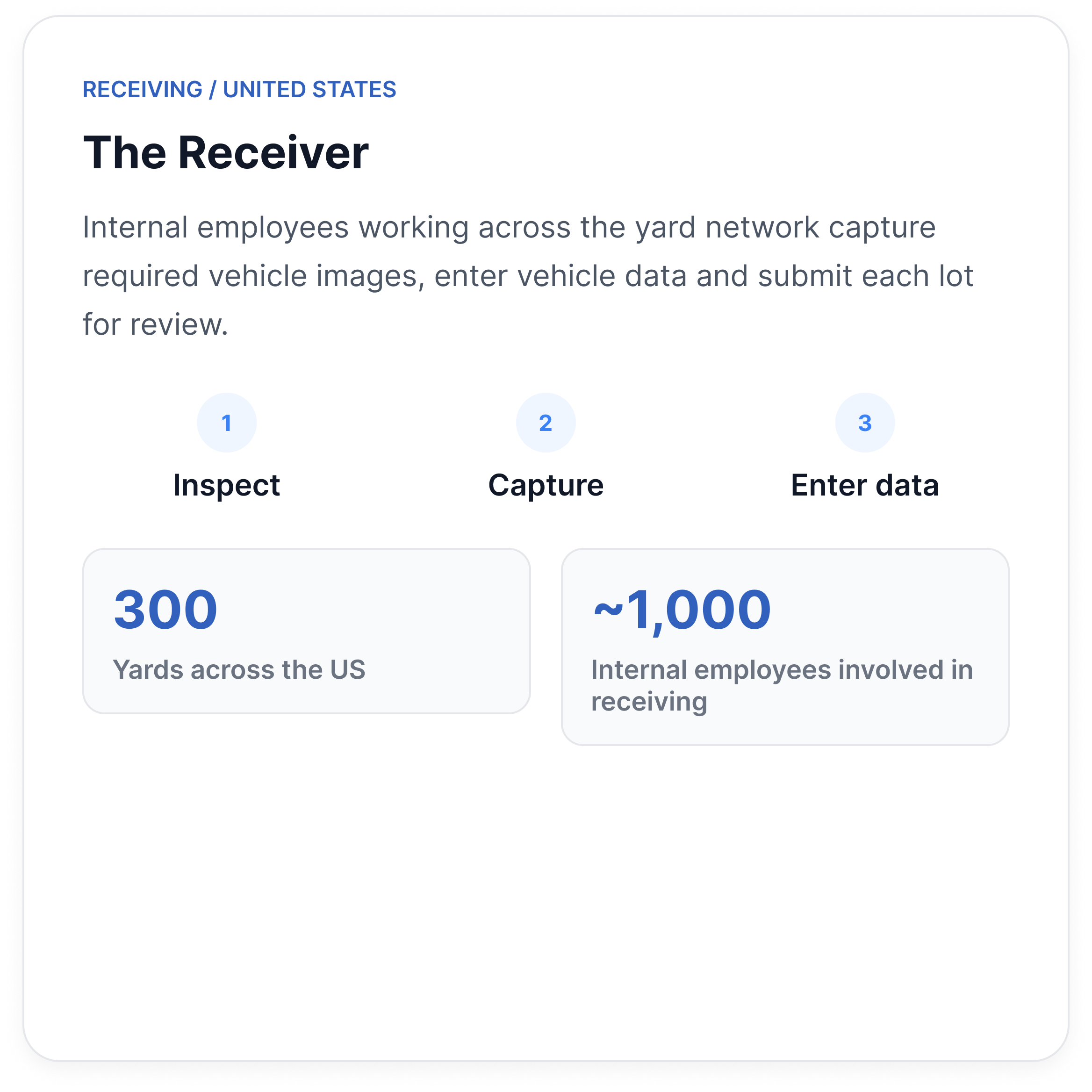
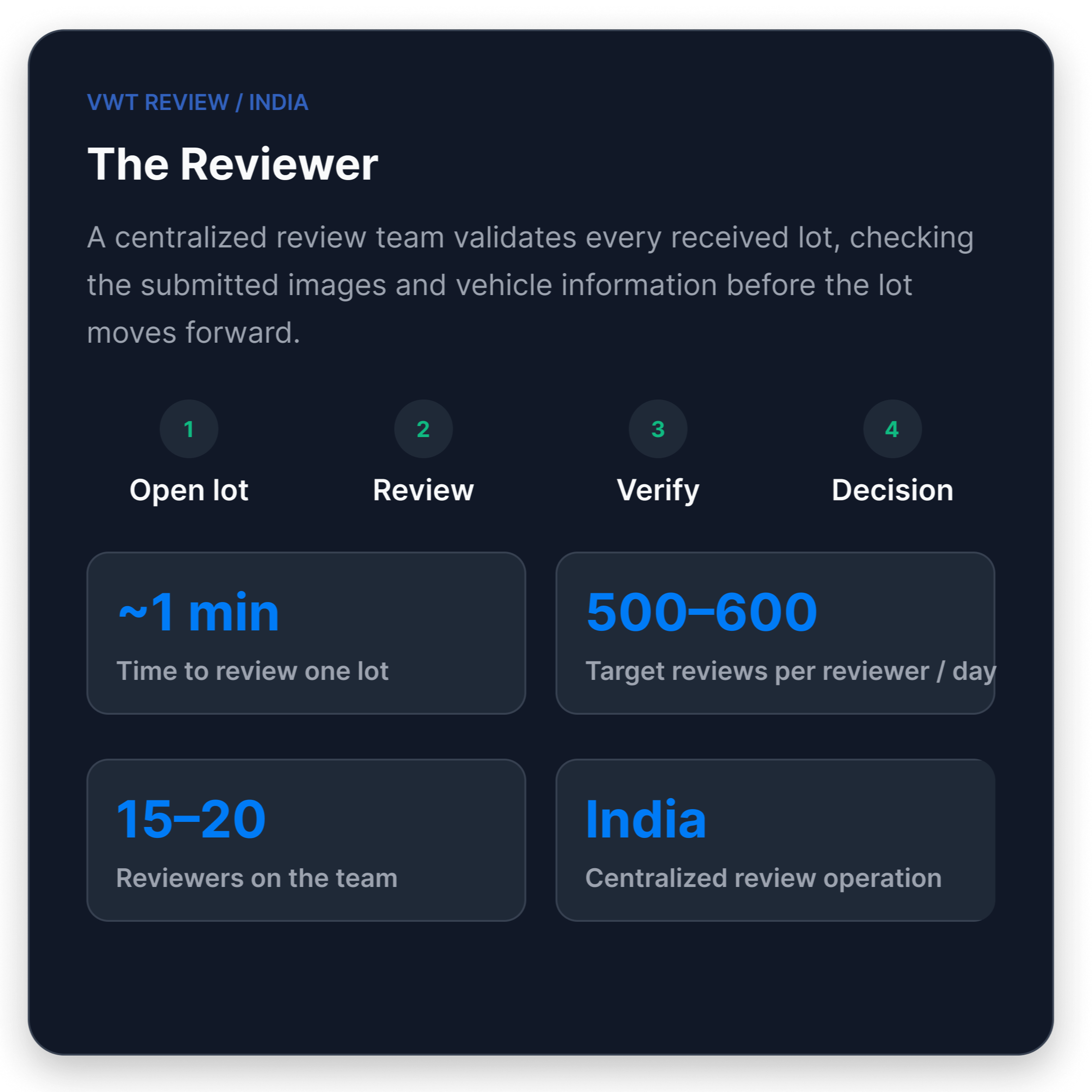
Who are we designing this for ?
03 EVIDENCE
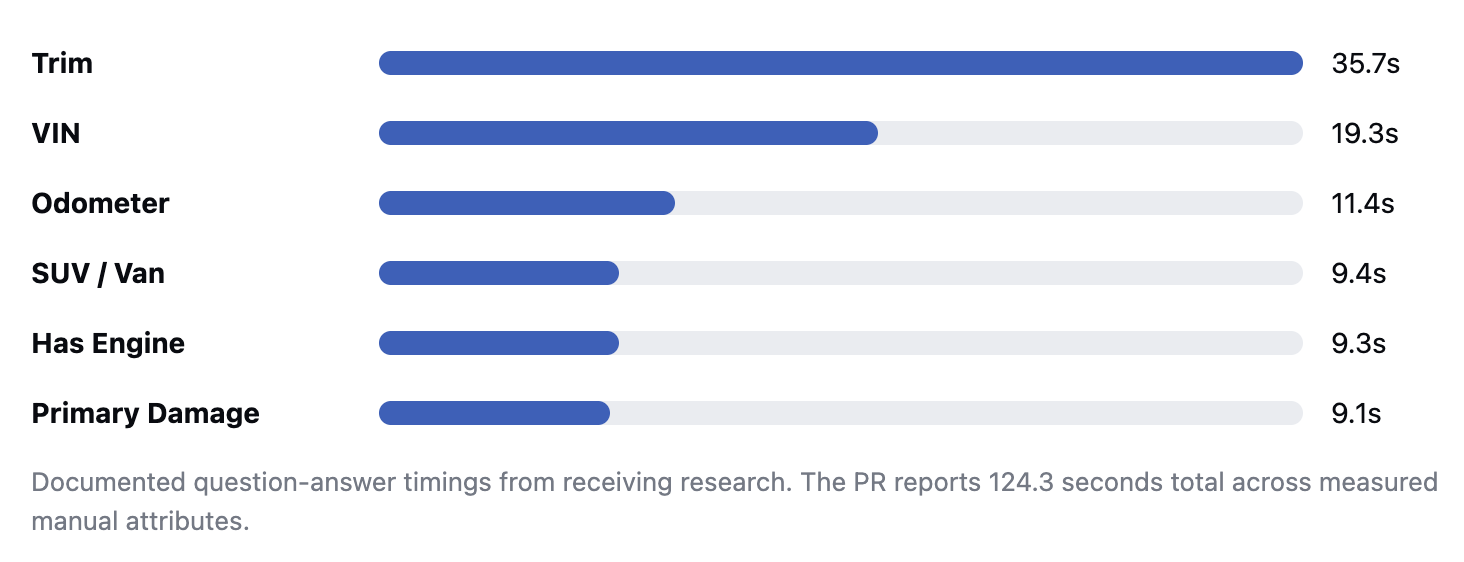
Manual Interactions added up
Several individual questions took only seconds, but repeated across the receiving workflow they created significant interaction cost.
04 REFRAMING
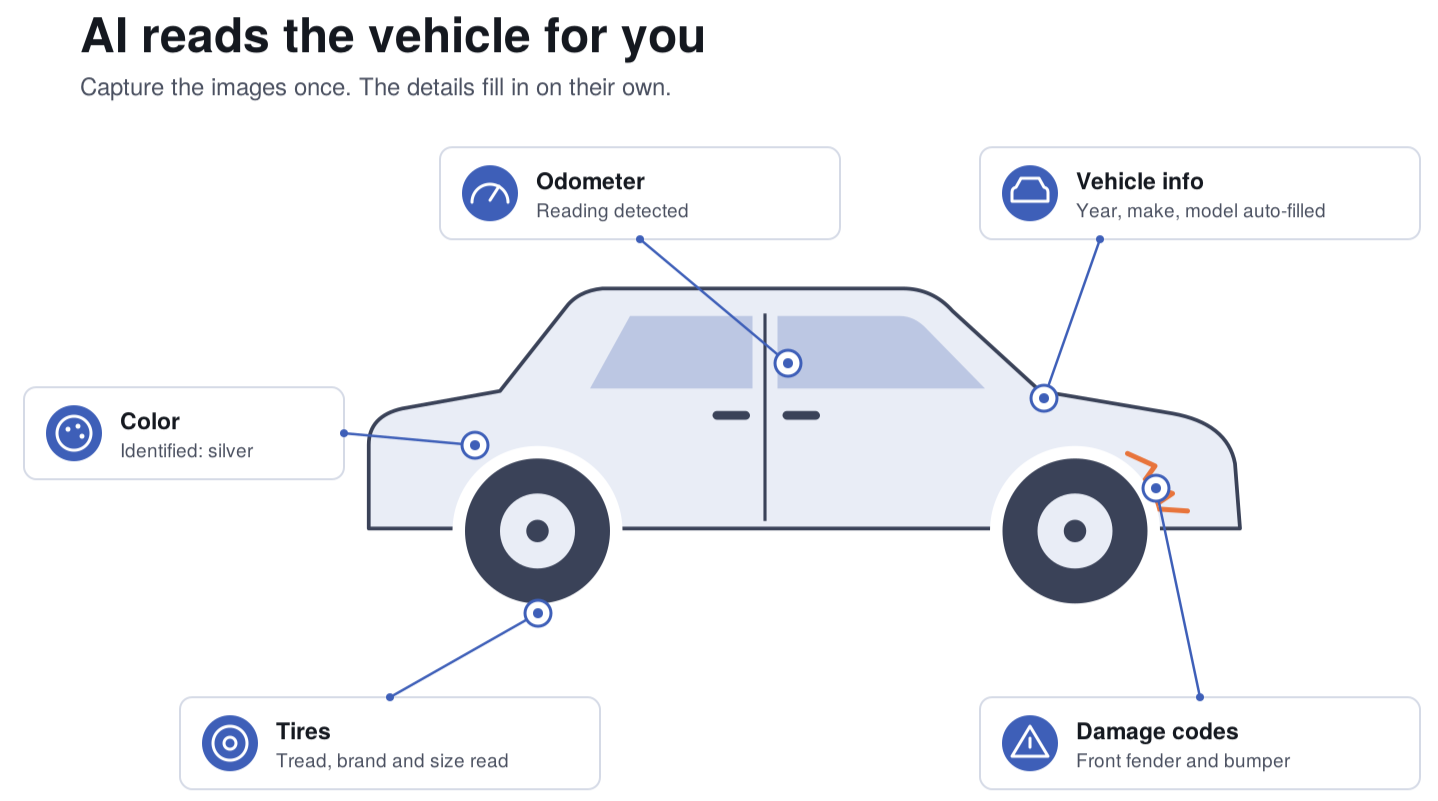
What if the photos become the output ?
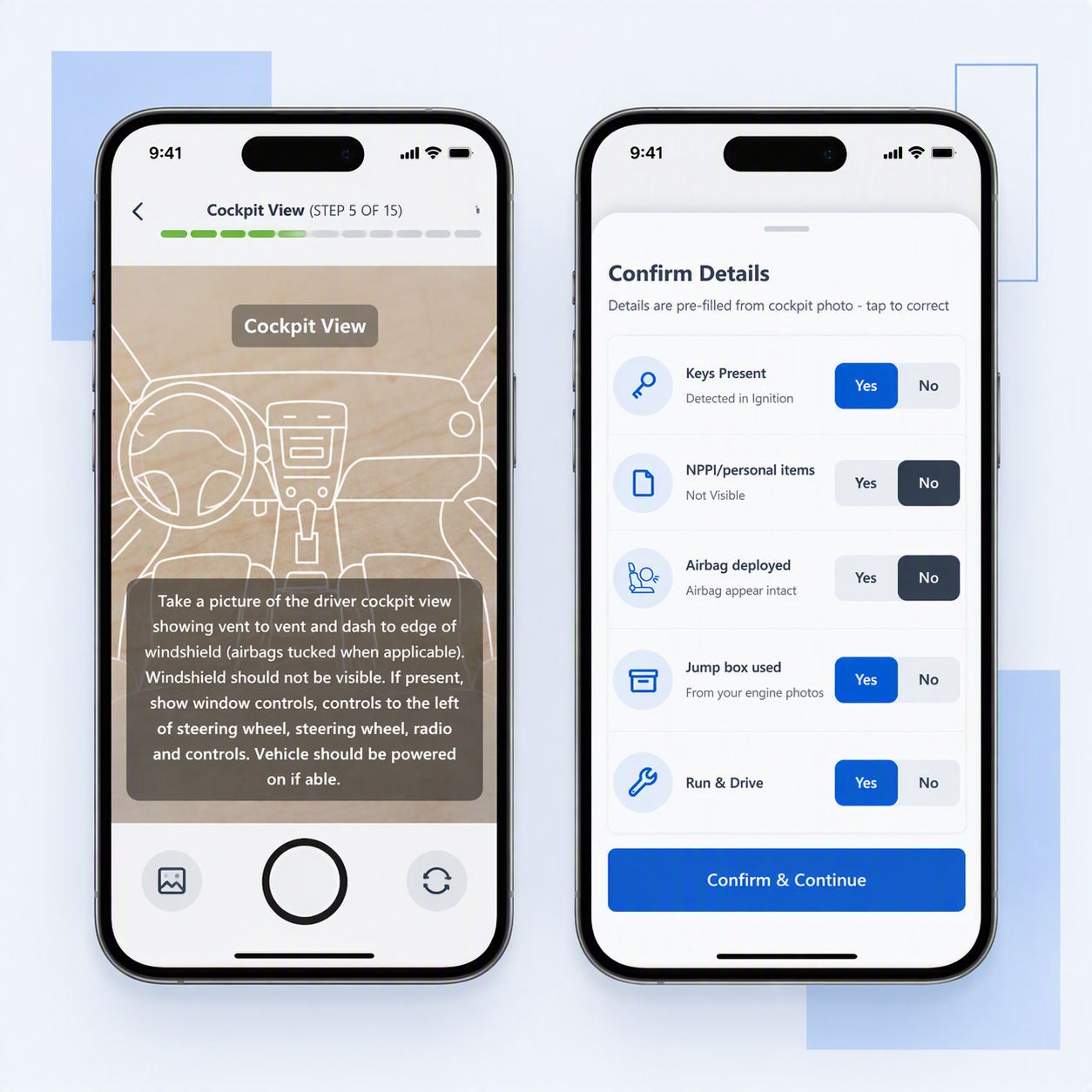
The same images needed as evidence could help generate the associated vehicle information. That shifted the design away from form completion and toward guided capture + verification.
Opportunities
Sequence tasks around the physical walk instead of the form structure which will reduce the amount of time taken to capture images.
01
Design around the vehicle
02
Capture once use twice
Use image as evidence and as inputs for extracting vehicle information.
03
Automate certainty
Reduce repetitive work while surfacing uncertainty for human verification.
SOLUTION 01
The Interface was organizing the work, not the experience
Receiving forced users to alternate between physical inspection, image capture and manual data entry. The digital sequence did not always follow the natural movement around the vehicle.
SOLUTION 02
The Interface was organizing the work, not the experience
Receiving forced users to alternate between physical inspection, image capture and manual data entry. The digital sequence did not always follow the natural movement around the vehicle.
SOLUTION 03
The Interface was organizing the work, not the experience
Receiving forced users to alternate between physical inspection, image capture and manual data entry. The digital sequence did not always follow the natural movement around the vehicle.
“The biggest opportunity wasn't making individual forms faster. It was recognizing that receiving and review were parts of the same system.”
Good UX didn't mean simplifying one more screen. It meant understanding the physical workflow, finding where information was being captured twice, and redesigning the system to remove unnecessary work.
REFLECTION